What does SIVACOR do to ensure that the resulting replication package is trusted?
SIVACOR implements TRACE
SIVACOR is an example of a TRACE-compliant system. The resulting package
provides a snapshot of various processing stages, importantly, the first and last states of the processing system.
it runs the user’s code in a documented and controlled fashion.
if configured by the user, it will also disable network (internet) access, ensuring that all materials are within the system.
it certifies that the replication package was run without user intervention - important for ensuring future reproducibility, when support by the authors may not be available.
it cryptographically signs all the code, outputs, logs and metadata associated with the replication package, using a cryptographically secure time-stamp and the system maintainers’ PGP keys, ensuring that any tampering with the package can be detected later.
Example Log of a SIVACOR Submission
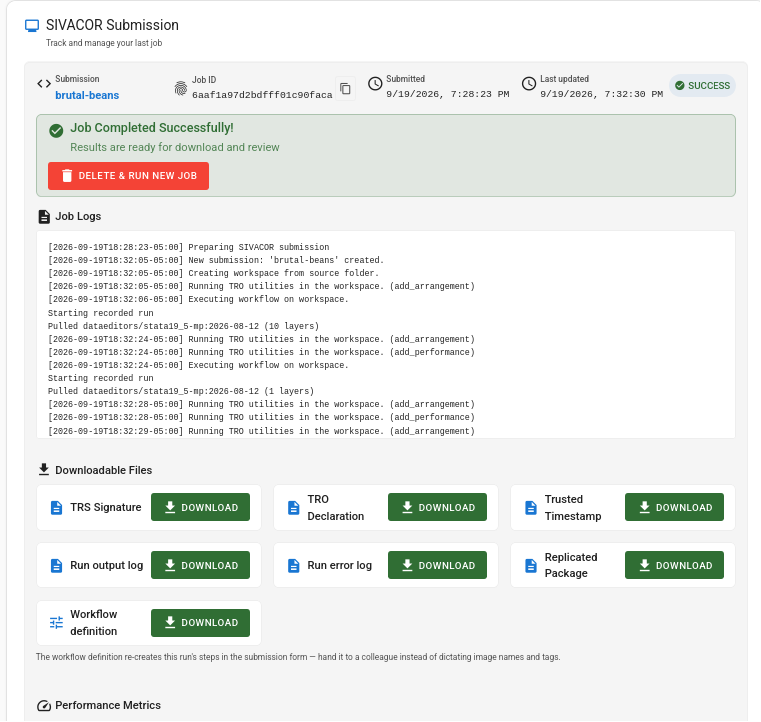
A summary of those activies shows up on the runtime view of the SIVACOR system:
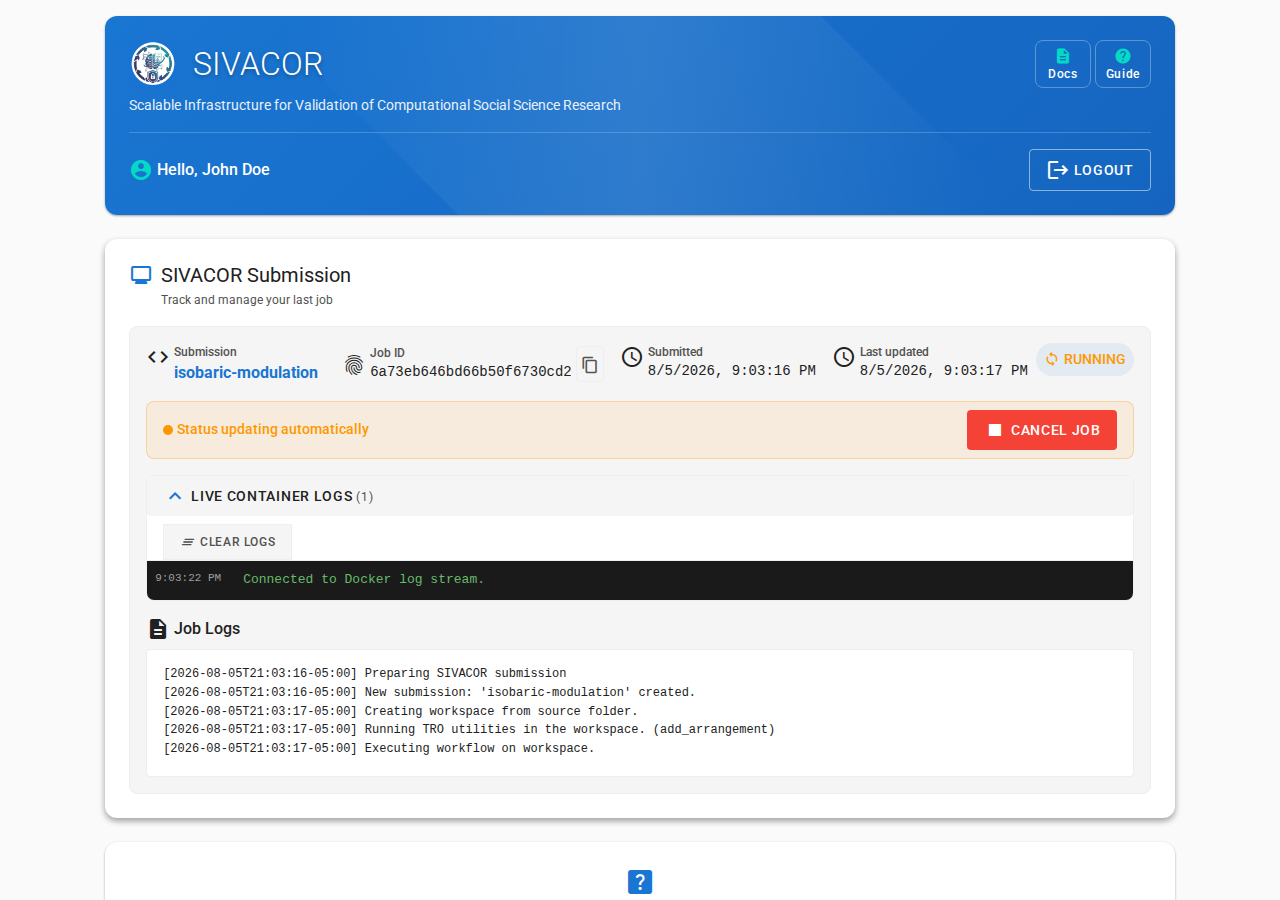
Preparing the system
The computer system is configured to run the user’s code. A compute node is requested.
Unpacking the uploaded ZIP file
At this point, the uploaded archive is unpacked.
First snapshot
An arrangement captures checksums, time stamps, and file path of all files in the workspace. This is the first one: it should correspond exactly to the unpacked archive.
Setting up the software, and running the code.
The various software components, as defined by the user on Step 2, are downloaded (pulled), here Stata. The user’s script is then run.
Recording the state after running code
The arrangement after running the user’s code is recorded, capturing any changes that occurred. The run of the user’s code is a performance, and is separately recorded.
Repeats for subsequent runs
When there are multiple steps to a workflow, this repeats for each step:
In this example, there were two steps, which are also displayed for the user at the end of the process:
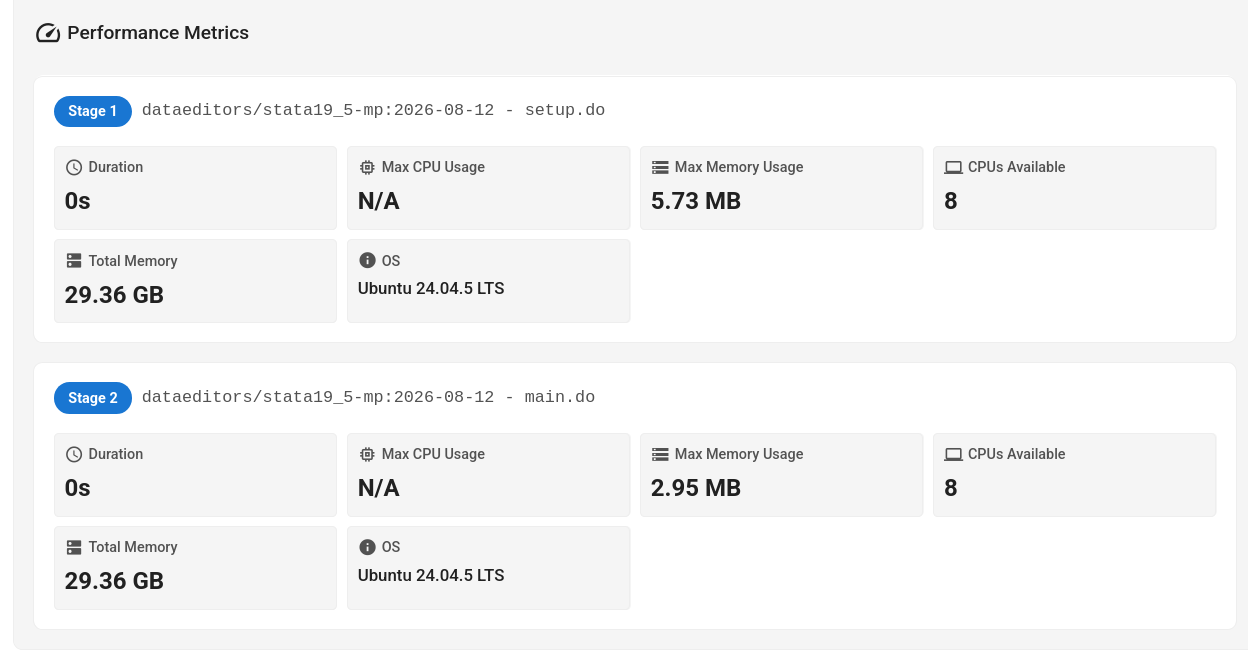
Cleaning up
Since every job can also remove files, via the .sivacorignore mechanism, the last step is another arrangement, capturing the final state of the workspace.
Wrapping the package: signing
To ensure the integrity and authenticity of the replication package, it is signed:
Different TRACE implementations can use different signing mechanisms. SIVACOR uses PGP, the key can be found on the Signing key page.
Returning the package to the user
The finalized package is made available to the user again
which then appears to the user as: